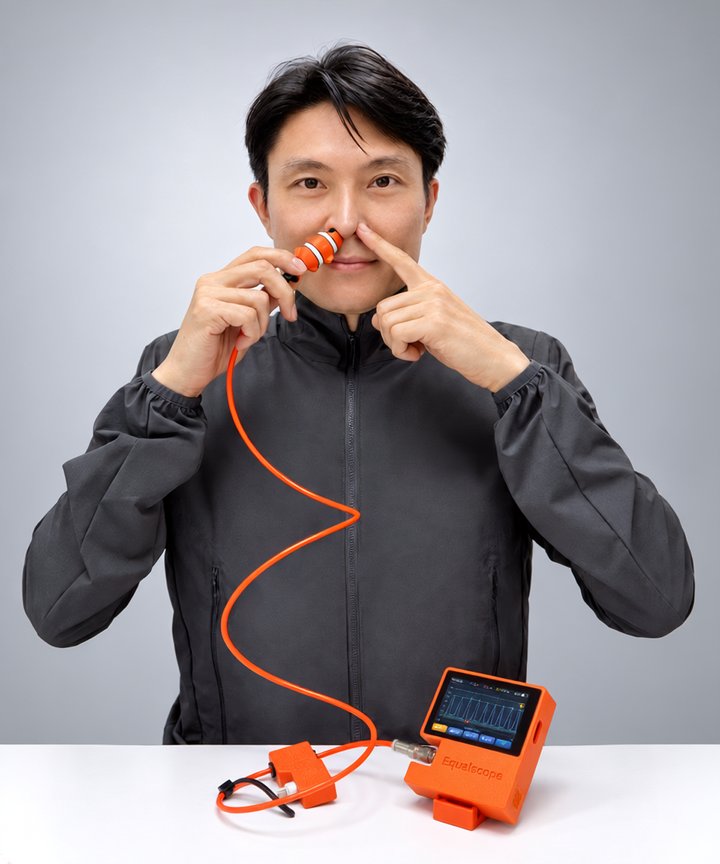
World's first, automatic equalization analysis and contraction logging in one device
Equalizing by feel, now seen and analysed. Contractions by hand, now graphed and logged.
Reads your pressure pattern, tells you what to fix, and records contractions on its own. CO₂·O₂ table training with voice guidance, all from one device.
Among freediving dry-training products that combine automatic equalization analysis with automatic contraction detection and logging. Our own survey, September 2026.
If you don't know what's wrong, you just repeat the same attempt.
The problem
With Equalscope
“Is this really frenzel?”
It analyses the pressure trace to show which technique you used.
Once the lesson ends, you train alone.
On your own, you still see the result and know what to fix.
Water days are few.
Out of the water, you can keep training and build your skill.
Story
We built it, used it, then built it again
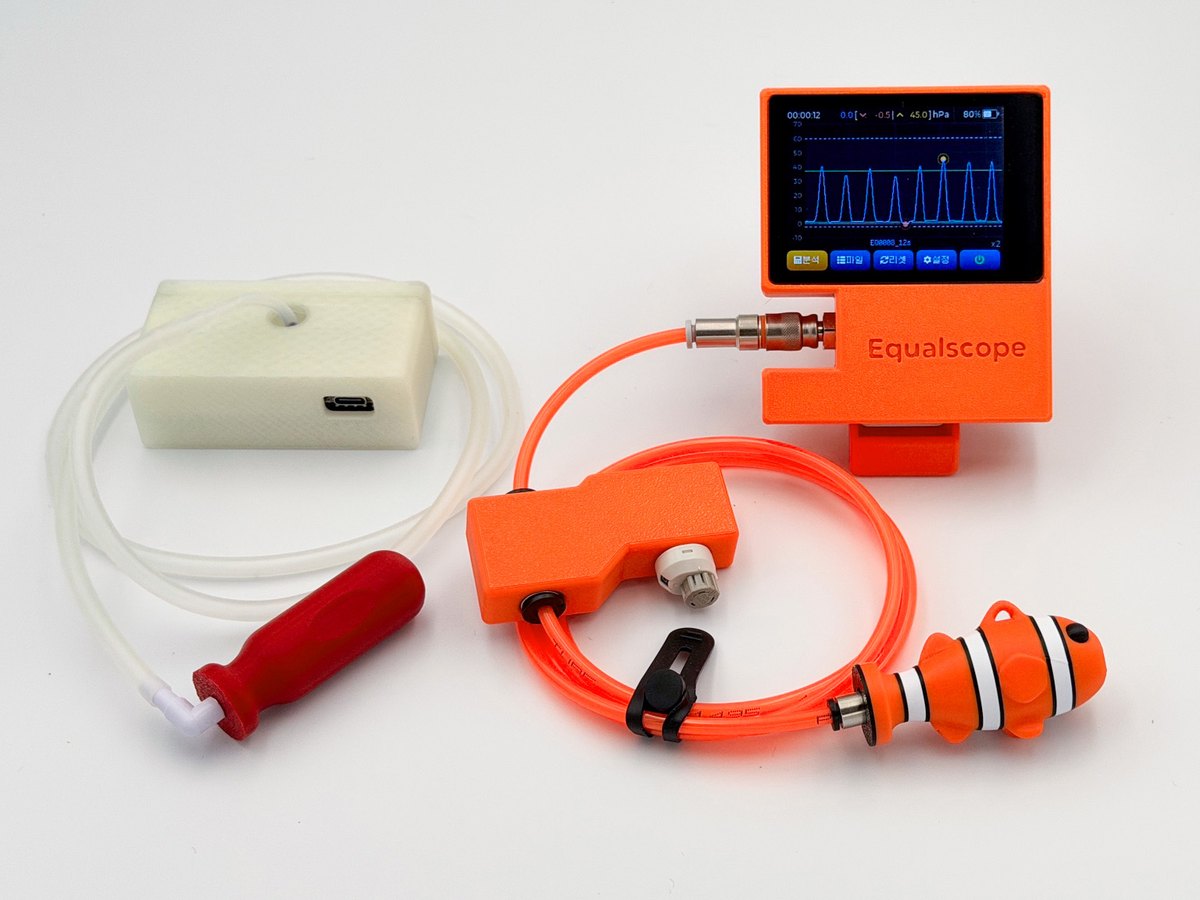
We started with a first generation you plugged into a PC to watch the graph. We used it ourselves, then rebuilt it one pain point at a time.
01First generation02Equalscope today
01First generation
02Equalscope today
Setup
Plug into a PC to measure
Built-in screen and battery — switch on and go
Connecting
Fitting and removing the tube was a chore
A quick connector that clicks on and off
After a session
Read the graph yourself
Tells you the technique and what to check
Training
Equalization pressure only
Equalization analysis + CO₂/O₂ breath training · contraction record
Simpler to set up. Easier to understand. More ways to train.
How to use
Unpack, connect, measure
Three steps from the box to an analysis — the video shows the whole thing.
1
Connect
Click the tube into the device.
2
Measure
Press start and equalize. Your pressure is drawn as a live graph.
3
Review
The session saves itself. The analysis screen gives you the statistics and a short piece of advice.
What I liked most is that you just switch it on — nothing to pair or connect. The stand was really comfortable too.
A freediving instructor (name withheld)
※ Based on real users’ comments. Names are withheld for privacy, and the wording has been lightly edited without changing the meaning.
Pattern analysis
It recognises how you equalize
It doesn't just draw the graph. It tells you which technique you were on, and what to work on next.
AnalysisThe technique, plus what to check next time.ComparisonWhat changed against your reference, in words.Depth Interval analysisWhether you kept the beat, and when you filled for mouthfill.
Reading the “Analysis” screen above
Estimated pattern
Frenzel
A session of 37 equalizations.
What the record shows
Steady timing, uneven force
Intervals held at 0.6–0.8 s, but the strength gap was wide.
What to check next
Even out the force
Keep the timing and match the force from push to push.
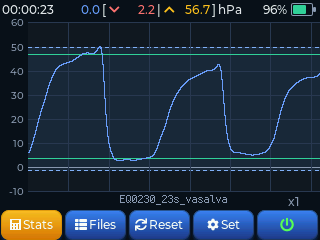
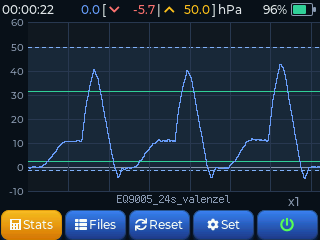
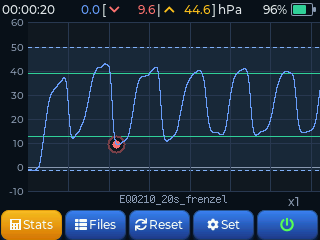
It sorts each session into one of six equalization patterns by the shape of the pressure curve.
ValsalvaSlow build from lungs and breathing muscles, held at the peak
Valsalva + FrenzelA mix of the two
FrenzelShort, sharp pulses from air in the mouth
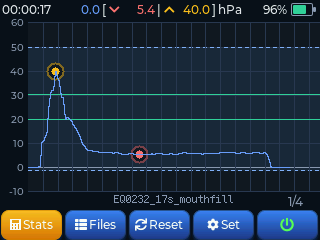
MouthfillA long, flat hold on mouth air
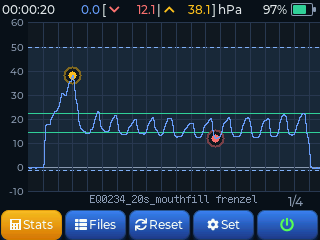
Mouthfill FrenzelNarrow pulses riding on top of held mouth air
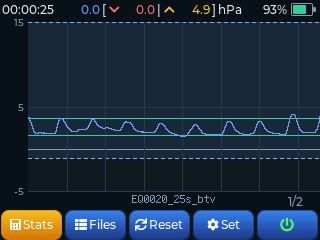
BTV (hands-free)Opening the tubes without pushing — very low pressure oscillation
How it decides
From the shape of the pressure curve. It reads pressure, not anatomy, so treat the result as a reference.
Updates
Refined with every firmware update, based on real training records. BTV detection, comparison and Depth Interval analysis were all added this way.
Divers who can't feel what they are doing often get it once they see the graph.
A freediving instructor (name withheld)
Your journey
What you use changes as you improve
Getting your equalization to work is not the finish line — it is where it starts. Each stage needs something different, so the features you reach for change too.
STEP 1 · START
From Valsalva to Frenzel
The hard part
Feel alone rarely tells you what's going wrong.
How it helps
The graph and the analysis show it, and you can register your instructor's run as a reference, open it, follow along and compare.
Live pressure graphAutomatic analysisReference comparisonHigh / low pressure alarm
A student who couldn't equalize finally got down to 10 m.
A freediving instructor (name withheld)
STEP 2 · REFINE
CO₂ · O₂ tables and mouthfill
The hard part
Breath training takes consistency, and how your body changes from session to session is hard to keep.
How it helps
CO₂ · O₂ tables run with voice guidance, and when and how many contractions came is logged, so you can compare sessions.
CO₂ · O₂ tablesContractions recordedEnglish voice guidanceMouthfill training
Checking contractions turned out to be fun. Running the tables with longer holds and comparing the contractions should really help.
A freediving instructor (name withheld)
STEP 3 · FURTHER
Deeper dives · instructors · athletes
The hard part
Repeating deep-dive conditions exactly on dry land.
How it helps
The calibrated valve repeats the same condition, intervals set your descent rhythm, and screens and records are ready for students.
Depth intervalsCalibrated pressure valveCompetition-style startRecords to share
I used it for the first time in a master course. Putting my own graph up next to a student’s mouthfill and showing them the difference — that feature is brilliant.
A freediving instructor (name withheld)
At every stage — every session is saved, and can be compared with any earlier one.
Two modes
Two kinds of training, all on one device
You pick the mode when you turn it on — watch your equalizing, or run a breathing table.
Both go from measuring to recording and analysis on that one device.
Equalizing
During
A live pressure graph at 40 samples a second, with a reference session to follow.
After
Count, rhythm and pattern analysed for you, and compared with your reference.
Breathing training (CO₂ · O₂)
During
CO₂ and O₂ tables with English voice guidance, so you can close your eyes.
After
Every round is recorded, and contractions too if it rested on your belly.
Nothing extra to pack — no separate tool, no phone for an app, no power bank.
One device in the bag. No app to launch and nothing to pair, so you can turn it on and measure straight away.
Contraction
Contractions, recorded on their own
Hold your breath long enough and your belly starts to twitch on its own. What you used to track yourself, the device now records.
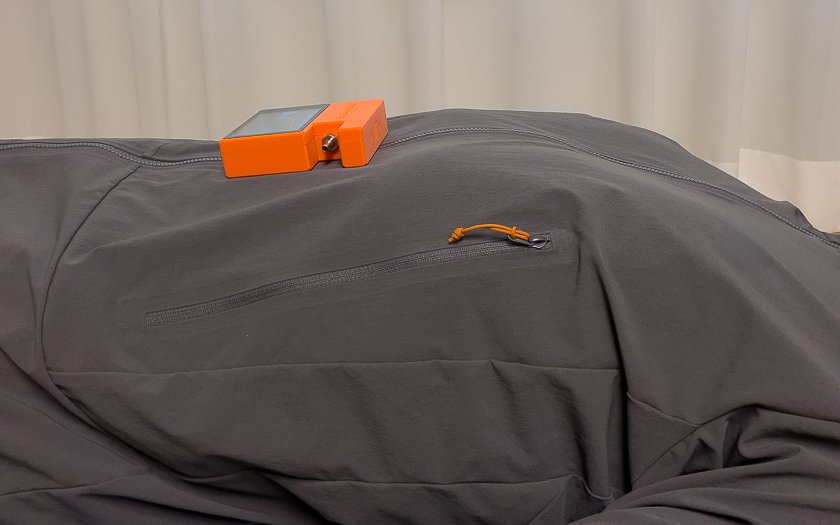
Just rest it on your belly
Lie down and put it on your belly. No strap, nothing to attach.
Numbers when it ends
When the round ends, it is worked out for you.
Until now
Equalscope
How it's tracked
Remember them, or press a button each time
Rest it on your belly and it records itself
During the hold
Keeping track, in the hardest part of the hold
Just the hold, with belly movement drawn live
What's left after
Only what you remembered or tapped
First one · count · average gap, plus the time and size of each one
Note: contractions are detected from belly movement.
Small movements may go undetected, and the result can change with where the device sits or with other body movement.
Asked
Everything instructors asked for
Things freediving instructors missed in the equipment they were using.
I wish the valve had a scale
→ Calibrated pressure valve
I want to set the graph range
→ Adjustable graph limits
Beep when it goes past my pressure
→ High / low pressure alarm
Tell Valsalva and Frenzel apart for me
→ Six techniques, recognised automatically
Even a simple analysis would help
→ Automatic analysis and what to check
Analyse it against the reference too
→ Comparison against the reference
Interval training would be great
→ Depth intervals
I even bought a tablet just to use an equalization tool
→ Standalone — just switch it on
I wish it worked without a power bank
→ Built-in battery
Let me update the firmware myself
→ USB and SD card updates
And the things nobody asked for — breathing tables and automatic contraction logging.
Trust
Certified, with the numbers to check
The device and its battery both carry KC certification — Korea's national safety certification. You can use it with confidence.
The device — KC certifiedPassed Korea's national safety requirements. Certificate no. R-R-SSD1-EQ-28
The battery — KC certifiedWe only use certified cells. Certificate no. YU10770-18001F
In the box
What you get
Two colours to choose from. Everything needed to start training on land.
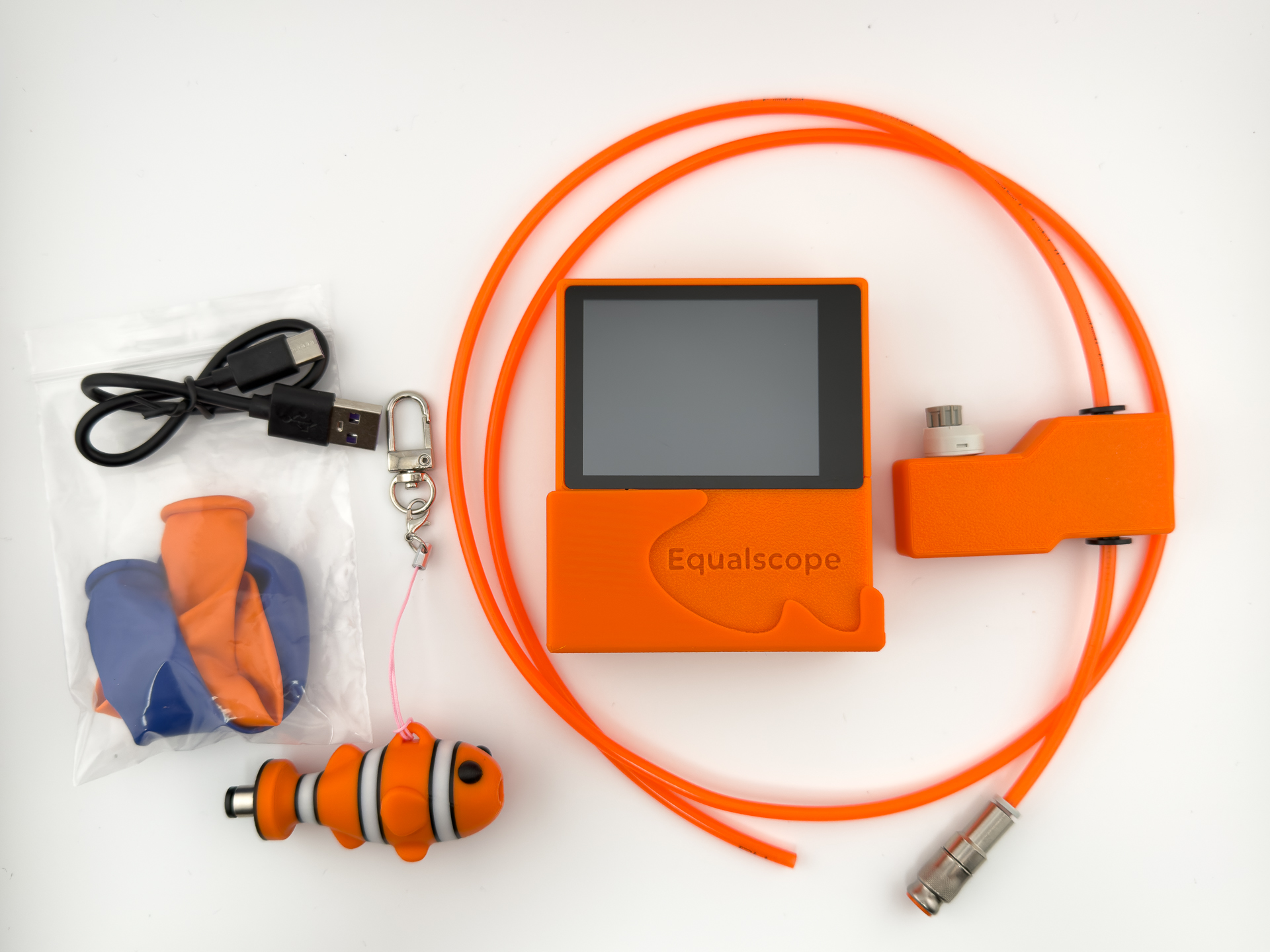
Orange · NemoTen items, from the device to the tubes and USB cable, all in orange
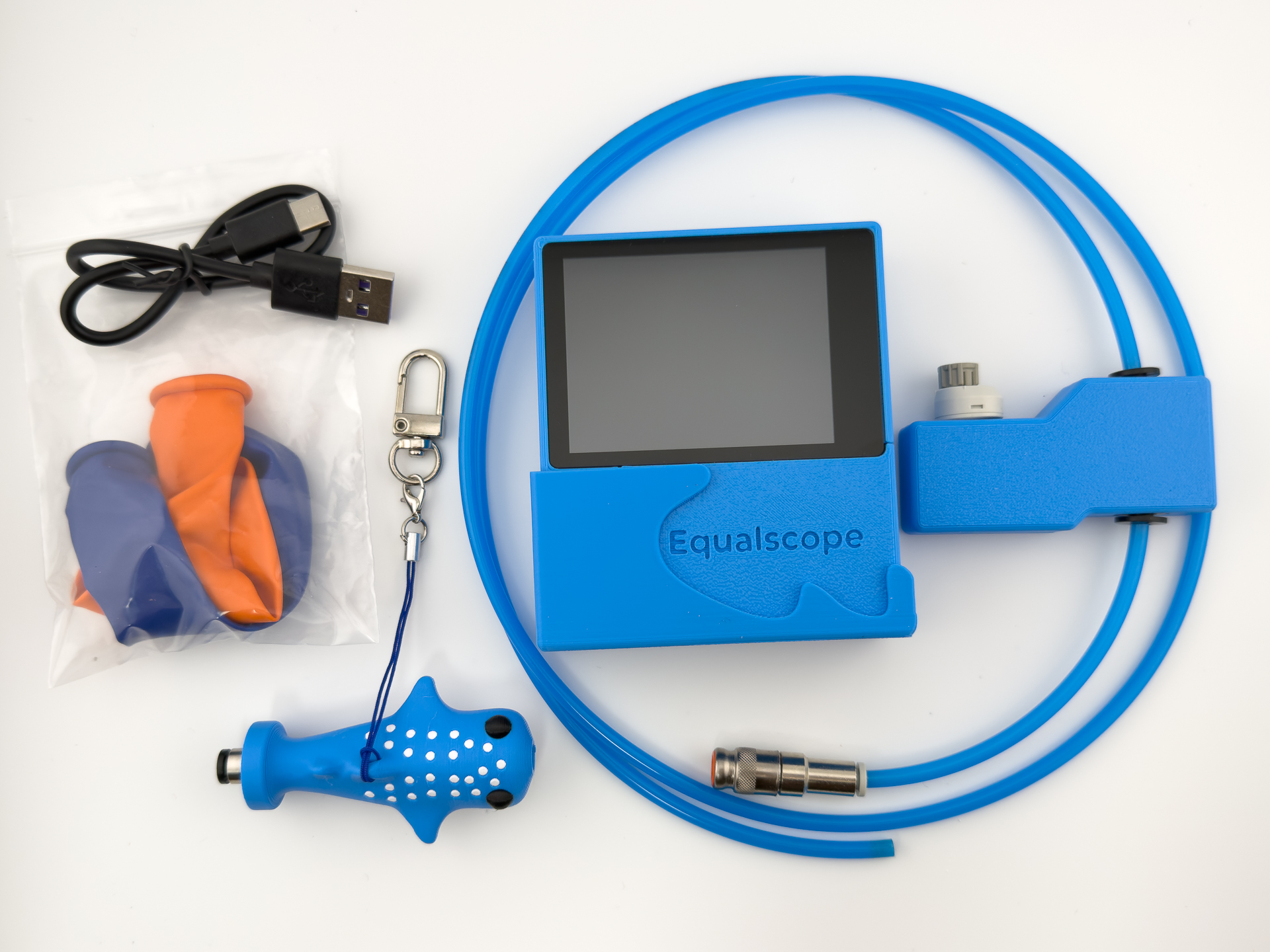
Blue · Whale sharkTen items, from the device to the tubes and USB cable, all in blue
Main unit & tube
The device, a silicone tube and a metal fitting. A pressure valve with a marked dial lets you repeat the same setting exactly.
Equalvent
The nose piece you press against a nostril. Sold as a set with a fitting, a lanyard and a balloon. After the clownfish and the whale shark, we plan to add more sea creatures over time — new models are announced first on our Instagram.
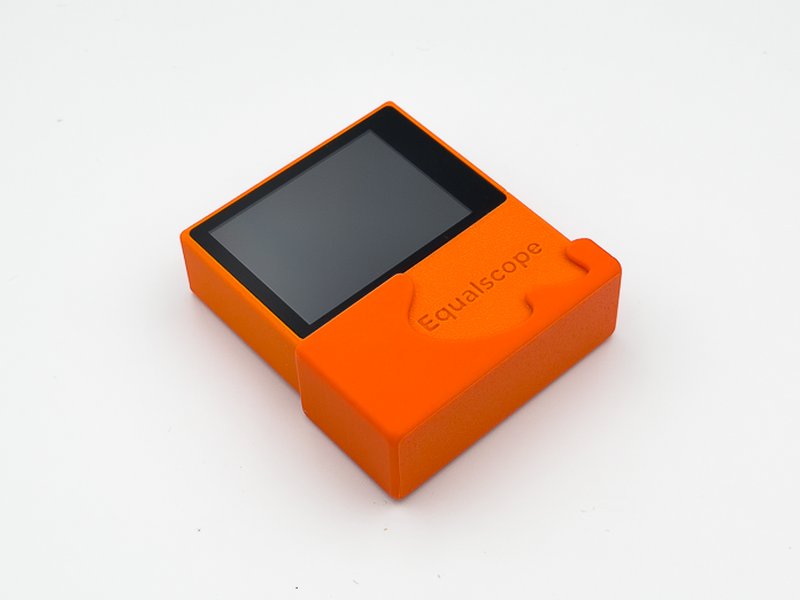
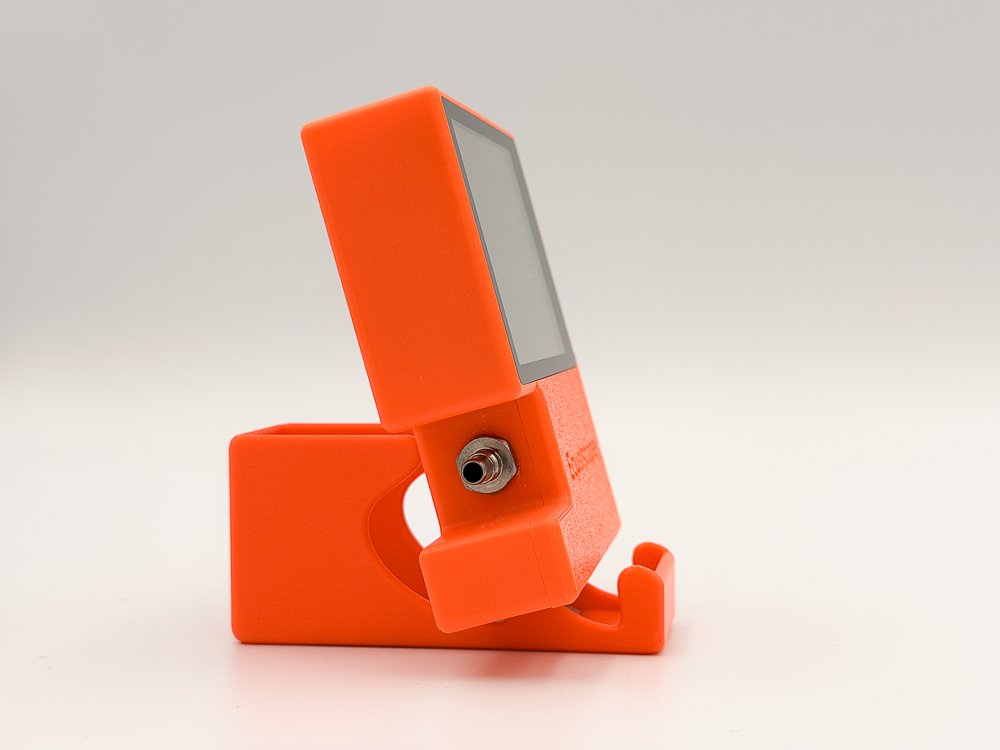
The stand doubles as a protective cover
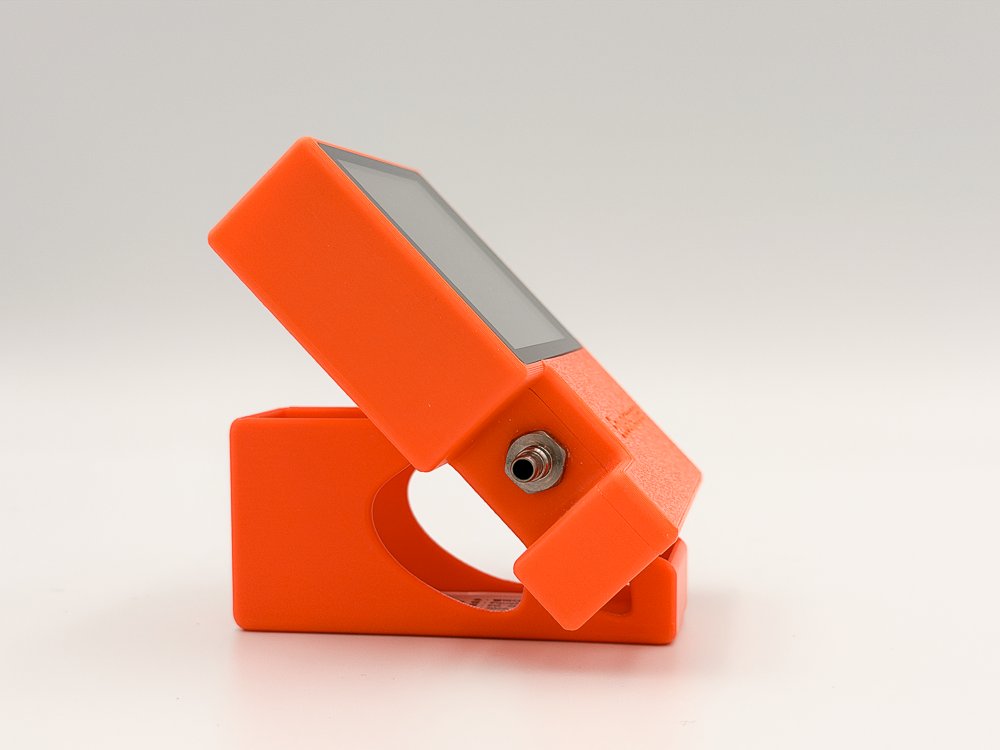
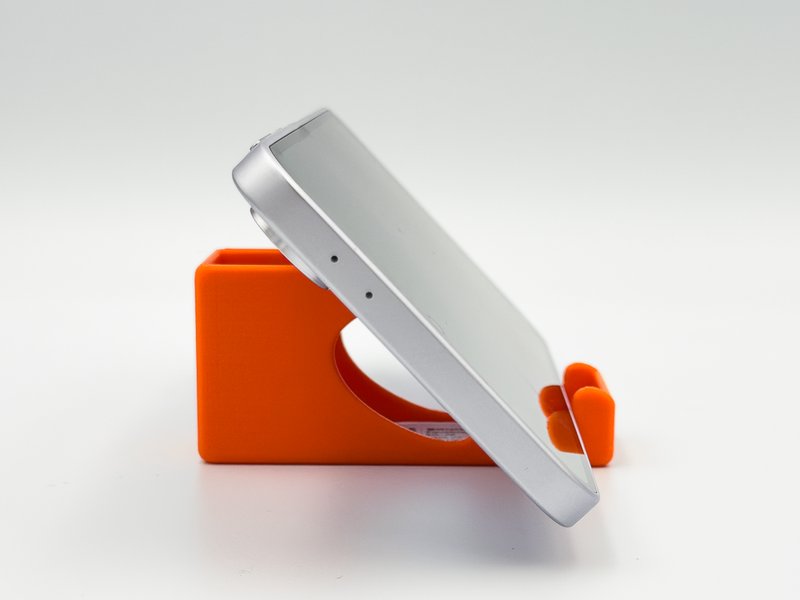
Protects the connector in the bag, holds the device at two angles on the desk, and doubles as a phone stand.
As a cover · protects the connectorUprightTilted back · slot the grooves inAs a phone stand
Order
Back, and better
Orders are open again, with a new kit and a case that holds up better to heat.
Please note: Equalscope is sold as a personal training aid; any import duties or local
requirements in your country are the buyer's responsibility.
Shipping the battery is not a problem: the cell is UN38.3 tested for air and sea
transport, and every shipment goes out with a safety data sheet (SDS).
Equalscope is made in small batches in South Korea, and each unit is inspected by hand before it ships.
Features
What it does
16 features you pick up as you improve — use what you need now, and the rest comes into play later. Most of them are not found on existing training devices.
Equalizing
Live pressure graph
40 samples a second, drawn as a smooth curve with no lag.
Automatic analysis & advice
Count, rhythm and pattern, plus what to check in your next practice.
Reference overlay & comparison
Overlay a coach's session or your own earlier one, and see what changed.
Depth interval trainer
Set gaps and counts per block to rehearse the rhythm of a descent.
Calibrated pressure valve
Repeat the exact same setting, and simulate the shrinking air of depth on land.
High / low pressure alarm
A sound when you leave your range, so you don't have to watch the screen.
Breath training
CO₂ · O₂ tables
Four built in and up to 50 of your own. Set rounds, start and step, and the table builds itself.
Contractions recorded on their own
Rest it on your belly and the time, count and gaps are logged for you.
English voice guidance
Phase changes and remaining time out loud, so you can train with your eyes closed.
Built around your own PB
Pick a percentage of your static PB and the hold times are calculated.
Competition-style start
3 · 2 · 1 and official top, with measurement, stopwatch and intervals starting together.
Records & sharing
Every session saved
Saved automatically, and easy to open on a PC in Excel or Google Sheets.
Three-finger screenshot
Save exactly what's on screen for feedback or sharing.
Device
Seven themes · English / Korean
Colour theme, language, brightness and alarms, all set on the device.
Tap to start and stop
Turn it on in settings, then tap the device on the table to start or stop.
Firmware update by USB or SD
No PC software, no app, and new features keep arriving after you buy.
On screen
A look at the screens
A 2.8-inch touch screen carries the live graph, the analysis and the files.
Pinch to zoom, swipe to scroll through the curve.
Live measurement & referenceLay a good session underneath and compare as you goAnalysis & adviceStatistics, an estimated technique and a short piece of adviceFilesCopy between internal memory and SD, set a reference, deleteSettingsTheme, brightness, alarms, depth interval, language and moreBreathing — table previewEvery round's breathe and hold time at a glanceBreathing — recordWhat you actually did, round by round
Seven colour themes — make the screen yours
DaylightCoralMapleLimeSkyNeonLavender
Spec
Specifications
Model
EQ-28
Display
2.8" colour touch LCD, 320 × 240
Size
Device 90 × 77.6 × 25 mm · Case 180 × 120 × 60 mm
Weight
Device 130 g (battery included) · 470 g with the full kit in the bag
Measurement
Pressure sensor, 40 Hz sampling, auto zero calibration at power-on
Motion sensor
6-axis accelerometer / gyro — contraction detection · tap to start
Storage
Internal memory + microSD slot — CSV sessions and PNG screenshots (SD card not included)
Audio
Speaker — pressure alarms, depth interval cues, and English voice guidance (female or male)
Power
Built-in 3.7 V 1,000 mAh Li-Po, USB charging
Connection
USB file transfer to PC · firmware update by USB cable or SD card
Dry-land training only · not waterproof · not a medical device
Quality · inspection
Every unit is checked by hand — function, durability and finish — before it ships.
On steeply curved surfaces (around the Equalvent mouth, for example) you may see faint
layer lines. That is a property of the process and does not affect function or durability.
Built-in battery · Storage
A rechargeable battery is built in, so you can start training without a cable.
In return, please keep one rule — do not leave it in a parked car.
A car interior can reach 60–70°C in summer. Long exposure to heat can make the battery swell or catch fire, and the case can deform.
Download
Firmware & manual
Drag the firmware onto the device over USB, or copy it to an SD card and power on — it updates itself.
 Equalscope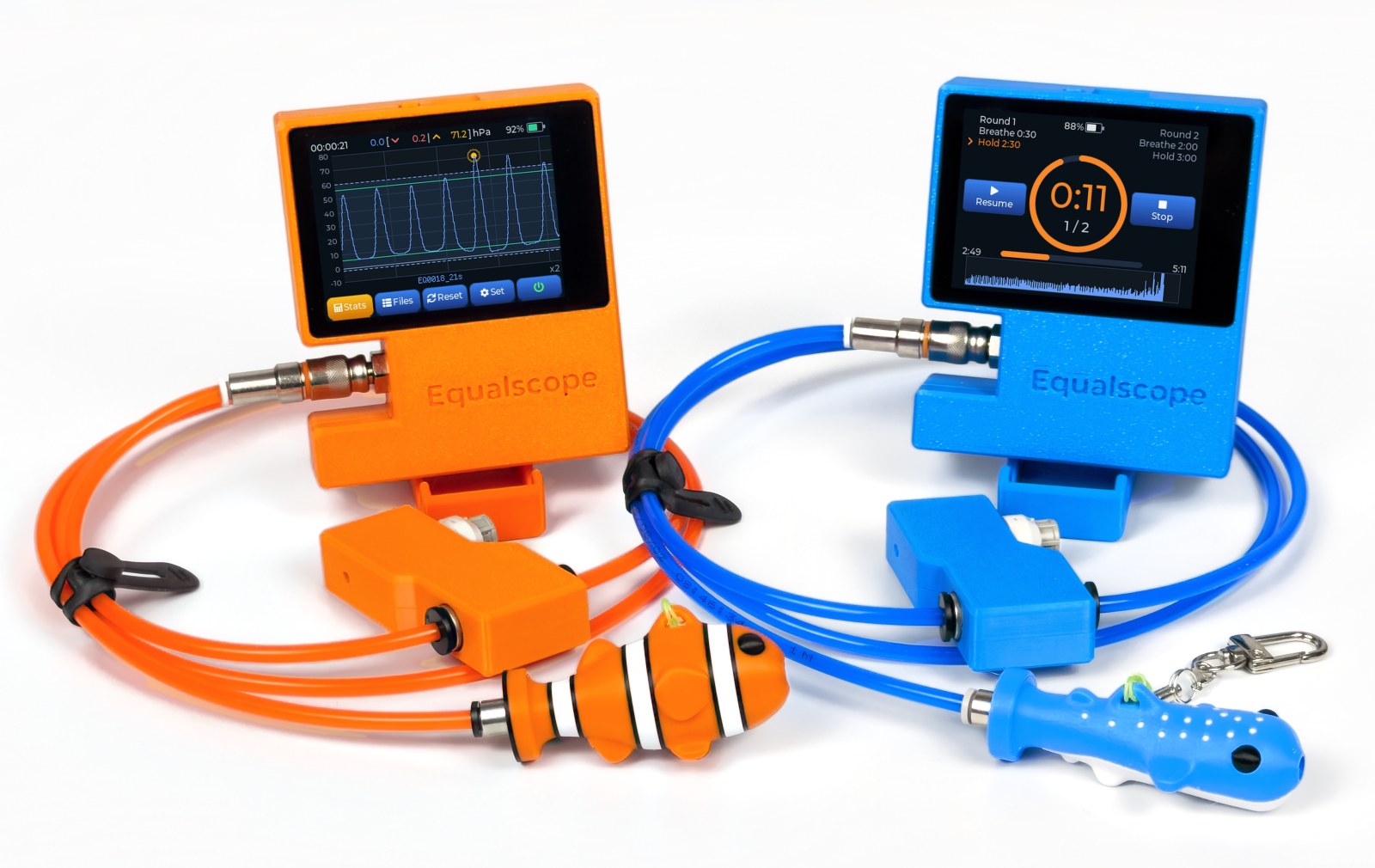
 01First generation
02Equalscope today
01First generation
02Equalscope today